


The Modern Marketing Leader’s Toolkit: AI Fluency, Data Literacy, and Business Acumen

Nitin Mahajan
—
October 4, 2026



Trying to figure out how your marketing is doing can feel like looking through a foggy window. You can sort of see things, but the details are fuzzy. That's where a digital marketing dashboard comes in. It's like cleaning that window, bringing all your important numbers into sharp focus so you can actually see what's working and what's not. This article is all about building that clear view, making sure you're not just guessing but actually know where your marketing efforts are paying off.
A digital marketing dashboard is basically a central hub where all your important marketing numbers live. Think of it like the control panel for your online efforts. It pulls data from different places – your website, social media, email campaigns, paid ads – and shows it all in one spot, usually with charts and graphs. The main goal is to make complex data easy to understand at a glance. Instead of digging through spreadsheets or logging into multiple platforms, you get a clear picture of what's working and what's not, right in front of you.
In today's world, marketing without data is like trying to cook without ingredients. You might end up with something, but it's unlikely to be very good. Dashboards are super important because they give you that ingredient list. They help you see:
Without this kind of organized information, making smart marketing choices becomes a guessing game. You might spend money on things that aren't working or miss out on chances to connect with your audience better. A dashboard helps you move from guessing to knowing.
Relying on gut feelings alone in marketing is a risky business. Data provides the evidence needed to back up decisions, making strategies more effective and investments more predictable.
Imagine trying to drive a car using a map from last year. That wouldn't be very helpful, right? Marketing is similar. Things change fast online – trends shift, ads perform differently, and customer behavior evolves. That's why having real-time data is so important. It means you're looking at what's happening right now, not what happened last week or last month. This allows you to:
Without up-to-the-minute information, you're always playing catch-up, which is a tough spot to be in for any marketer.
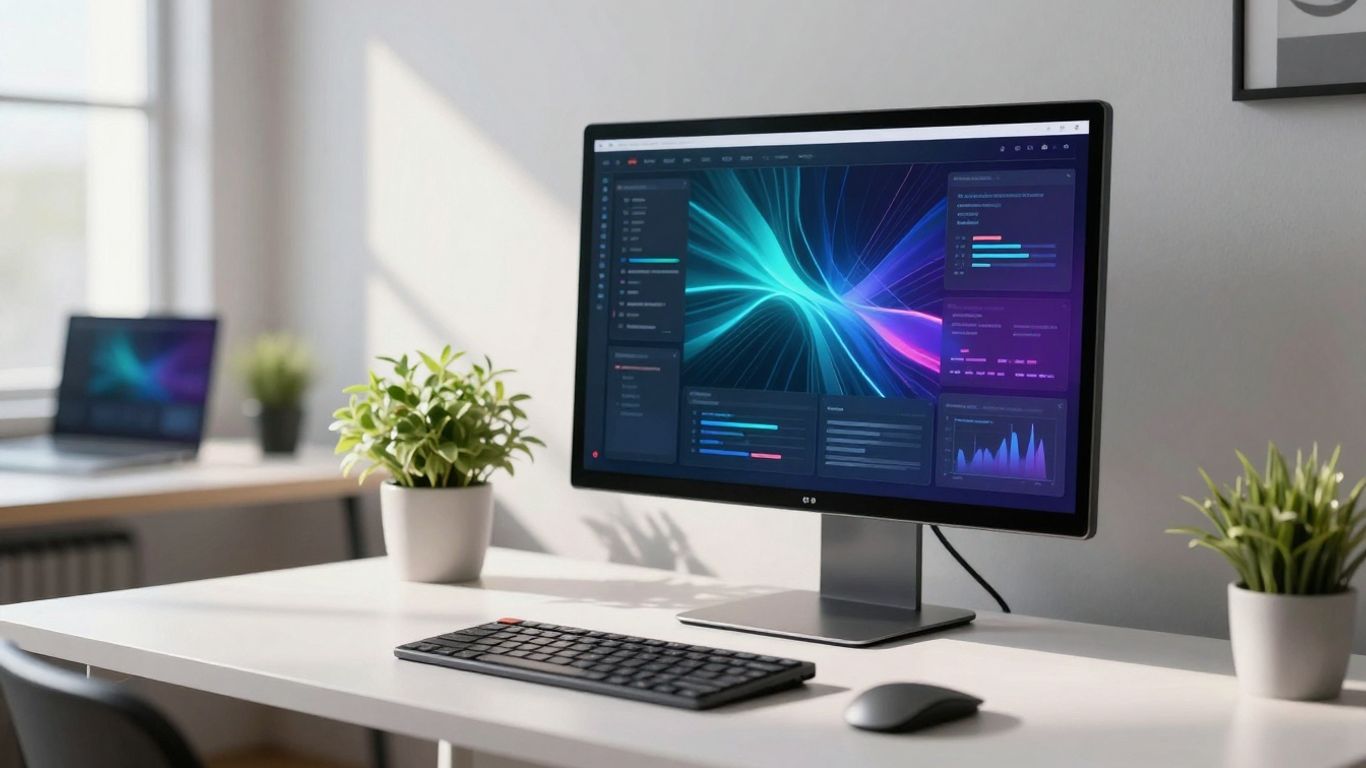
So, you've got the idea of a dashboard, which is great. But how do you actually put one together that's actually useful? It's not just about throwing a bunch of numbers on a screen. You need a plan. Think of it like building a house; you wouldn't just start nailing boards together, right? You need blueprints, the right materials, and a clear idea of what you want the finished product to look like.
First things first, what do you actually need to measure? This is where a lot of people get stuck. They either try to track everything or they track things that don't really matter to their business goals. You need to be specific. What are you trying to achieve with your marketing? More sales? Better brand awareness? More website visitors? Your metrics should directly answer those questions.
Here's a simple way to think about it:
Don't just pick metrics because they look good; pick them because they tell you if you're actually moving the needle on your business objectives.
Once you know what you want to track, you need a way to see it clearly. Raw data is just a jumble of numbers. Visualizations – like charts, graphs, and tables – turn that jumble into something you can actually understand at a glance. Think about how you prefer to see information. Do you like line graphs for tracking trends over time? Bar charts for comparing different categories? Pie charts for showing proportions?
Different tools offer different ways to visualize your data. Some are super simple, while others let you get really fancy. The key is to choose tools that make your chosen metrics easy to understand for you and anyone else who will be looking at the dashboard. You want to be able to spot trends or problems quickly, not spend ages trying to figure out what a graph is trying to tell you.
This is often the trickiest part. Your marketing data isn't all in one place, is it? You've got website analytics from Google Analytics, social media data from Facebook, Instagram, and LinkedIn, email marketing stats from Mailchimp or similar, and ad performance from Google Ads or Facebook Ads. Trying to pull all this together manually every day or week is a huge pain and, honestly, you're probably not doing it accurately.
A good dashboard needs to pull data from all these different places automatically. This means connecting your tools. Most modern dashboard software allows you to connect directly to platforms like Google Analytics, social media accounts, and ad platforms. This automatic connection is what makes a dashboard truly powerful, giving you a real-time, 360-degree view of your marketing performance without all the manual grunt work.
Alright, so you've got your dashboard set up, but what exactly are you looking at? It's not just about throwing numbers on a screen; it's about tracking the stuff that actually matters for your business. These are your Key Performance Indicators, or KPIs, and they're the heart of your dashboard. Picking the right ones means you can see if your marketing is actually doing its job.
This is where you see who's showing up and if they're sticking around. You want to know if people are finding your site and if they're interested in what you have to say. High traffic is good, but if everyone bounces off the first page, that's not so great.
A low bounce rate and a longer session duration usually mean your content is hitting the mark and keeping people engaged. It's a good sign that you're providing something useful or interesting.
Okay, people are visiting, but are they becoming leads? This section is all about turning visitors into potential customers. It's where you see how effective your efforts are at getting people to take that next step.
Your social channels are often the front lines of your brand. This is where you see how well you're connecting with your audience on platforms like Facebook, Instagram, or LinkedIn.
If you're running ads on Google, social media, or other platforms, you need to know if they're actually worth the money. This is about tracking your ad spend and making sure you're getting a return.
The real goal here is to see which campaigns are making you money and which ones are just burning through your budget. By keeping an eye on these numbers, you can adjust your spending and focus on what works best.
So, you've built your dashboard. It's got all the shiny charts and real-time numbers. Now what? This is where the real magic happens. Your dashboard isn't just a pretty picture; it's your roadmap to making smarter marketing moves.
Looking at raw numbers can be a bit much sometimes, right? A well-organized dashboard cuts through the noise. It shows you what's working and what's not, plain and simple. This clarity allows you to stop guessing and start knowing. You can see which campaigns are bringing in the most leads, which channels are driving sales, and where customers might be dropping off. This kind of insight means you can confidently decide where to put your marketing budget and effort.
A dashboard transforms data from a confusing mess into a clear story. It helps everyone on the team understand performance at a glance, making it easier to agree on the next steps.
We all have those campaigns that just aren't hitting the mark. Instead of just letting them run, your dashboard can tell you why. Maybe the ad copy isn't connecting, or the landing page isn't converting. You can use the data to pinpoint the exact problem areas. For example, you might notice a big drop-off on a specific landing page. That's a signal to go in and tweak the page, maybe change the call-to-action or simplify the form. It’s about making small, informed changes based on what the data tells you, rather than just hoping for the best. You can even use this information to set up A/B tests for different headlines or images to see what performs better.
Getting everyone on the same page is tough. Your dashboard can be the common ground. Instead of just sending out reports, you can use the dashboard itself to show progress. This makes it easier for different departments, like sales and marketing, to see how their work connects and impacts the overall goals. Regular check-ins using the dashboard can help:
Sharing these insights regularly helps build trust and ensures everyone is working towards the same objectives. It's about making your marketing efforts transparent and accountable, which is a huge step towards better results. You can find marketing dashboard templates to help structure this communication.
Picking the right tools for your digital marketing dashboard is a bit like choosing a reliable co-pilot for a long flight. You want something that’s easy to use, shows you exactly what you need to see, and doesn't suddenly decide to go offline when you hit turbulence. It’s not just about having a pretty display; it’s about having a system that actually helps you make sense of all the data flying at you.
When you're looking at different dashboard software, keep an eye out for a few key things. You don't want to get stuck with something that looks fancy but doesn't do what you need it to. Here’s a quick rundown of what really matters:
There are a lot of options out there, and honestly, it can get a bit overwhelming. But some tools consistently pop up as favorites for good reason. While the landscape changes, here are a few types of tools that generally do a solid job:
It's worth spending some time testing out a few options to see which one feels right for your team and your budget. What works for one company might not be the best fit for another.
Think about where your marketing efforts are headed. Will the tool you choose today still be useful in a year or two? It’s easy to get caught up in what looks good right now, but you also need to plan for the future.
When selecting a dashboard tool, consider its ability to grow with your business. A system that can easily add new data sources, accommodate more users, and adapt its reporting as your marketing goals shift will save you a lot of headaches down the line. Don't pick something that will become obsolete too quickly.
Scalability means the tool can handle more data, more users, and more complex reporting as your business expands. Customization means you can tweak it to fit your unique workflow and reporting needs. Both are super important for making sure your dashboard remains a helpful asset, not a burden.
Your marketing dashboard isn't a set-it-and-forget-it kind of thing. The digital marketing world changes fast, and what mattered last year might not be the main focus today. It’s super important to check in regularly and make sure the numbers you're tracking still line up with what your business is trying to achieve. If your company's big goal shifts from, say, just getting more website visitors to actually increasing sales from those visitors, your dashboard needs to reflect that. You might start paying more attention to conversion rates and average order value instead of just traffic volume.
New platforms pop up, algorithms change, and customer behavior shifts. Your dashboard needs to keep pace. Think about it: a few years ago, TikTok wasn't the powerhouse it is today. If you're not tracking performance on emerging channels, you could be missing out on a huge opportunity. It’s about being flexible and willing to add new metrics or even entirely new sections to your dashboard as the marketing landscape evolves. This means staying curious and keeping an eye on what’s new and what’s working for others.
So, you've got your dashboard set up, and it's been running for a while. That's great! But are you really getting everything you can out of it? Take a step back and look at how you and your team actually use it. Are there certain reports you always ignore? Are there metrics that are confusing or don't seem to lead to any action? Maybe it's time to simplify. Cut out the noise and focus on the data that truly drives decisions. Sometimes, less is more. A cleaner, more focused dashboard is often more effective than one packed with every possible metric.
A dashboard is only as good as the actions it inspires. If the data isn't leading to clear next steps or adjustments in strategy, it's just a collection of numbers. Regularly asking 'So what?' about each metric can help you trim the fat and keep your dashboard focused on what truly matters for growth.
Here’s a quick look at how you might adjust your focus:
This kind of adaptation ensures your dashboard remains a relevant and powerful tool for guiding your marketing efforts, not just a historical record.
So, we've talked a lot about why having a digital marketing dashboard is a good idea. It’s not just about looking at numbers; it’s about making sense of them so you can actually do better work. Think of it like having a really good map for your marketing journey. Instead of just guessing where to go, you can see the road ahead, spot any roadblocks, and figure out the quickest way to your destination. Building one might seem like a big project at first, but once you have it set up, it really does make things simpler. You’ll spend less time digging through spreadsheets and more time actually making smart choices for your business. It’s all about getting a clear picture so you can keep improving and reach those goals you set out for.
Think of a digital marketing dashboard like a car's dashboard, but for your online marketing. It's a special screen that shows you all the important stuff about how your online ads, social media, and website are doing, all in one place. It uses easy-to-understand pictures like charts and graphs so you can quickly see what's working and what's not.
Using a dashboard is super helpful because it saves you tons of time. Instead of looking at a bunch of different websites and reports, everything is right there. It also helps you make smarter choices about your marketing because you can see real, up-to-date numbers, not just guesses. This means you can improve your ads and get better results.
You'll want to see things like how many people are visiting your website, how they're interacting with your content, how many new customers you're getting, and how well your social media posts and ads are performing. It's all about tracking the things that show if your marketing is actually helping your business grow.
Nope! Most digital marketing dashboards are made to be easy to use, even if you're not a computer expert. They show you information in simple ways. The main thing is to pick one that makes sense to you and shows you the numbers that matter most for your business.
It's a good idea to look at your dashboard regularly, maybe every day or a few times a week. Since the information is usually updated in real time, you can catch problems or successes quickly. This lets you make changes right away to get the best results.
Absolutely! Most dashboards let you connect your social media accounts. This way, you can see things like how many followers you have, how many likes and shares your posts get, and which ones people click on the most. You can often see this for both your regular posts and any ads you're running.