


The Modern Marketing Leader’s Toolkit: AI Fluency, Data Literacy, and Business Acumen

Nitin Mahajan
—
October 4, 2026



Display ads. They're everywhere, right? From the banners on your favorite news site to the little video clips that pop up before your YouTube video starts, these ads have been around for a while. But they've changed a lot since the early days. Back in 1994, the first display ad was basically a simple box. Now, we've got all sorts of fancy formats. If you're trying to get your business noticed online, understanding the different types of display advertising is a big deal. Let's break down what's out there and how you can use it.
When we talk about display advertising, we're really talking about those visual ads you see all over the internet – think banners, images, and videos on websites and apps. It's a big part of online marketing, and understanding the basic types is step one for any marketer.
These are probably the most straightforward. Static ads are just that: still images, maybe with some text. They're like a digital billboard. Animated ads, on the other hand, use motion, like GIFs or short video clips, to grab attention. They can be more eye-catching than static ones, but they also need a bit more effort to create. The goal is always to make an impression quickly.
Moving beyond simple images and animations, interactive and rich media ads invite the user to do something. This could be anything from playing a mini-game within the ad, taking a quick poll, or expanding the ad to reveal more information when you hover over it. These formats tend to get more engagement because they're not just passively viewed; they require some action from the user. They can be really effective for telling a story or showcasing a product in more detail.
Video ads are huge, and display advertising is no exception. These can range from short, punchy video clips to longer, more in-depth content. They're great for demonstrating products, sharing testimonials, or creating an emotional connection. Audio ads, while less common in traditional display placements, are becoming more prevalent, especially on platforms where users might not be actively watching a screen. They often appear in audio-only environments like podcasts or music streaming services. These formats are powerful for storytelling and can really make a brand memorable.
Display advertising isn't just about slapping an image on a website anymore. Marketers are getting smarter, using more sophisticated ways to reach people. This section looks at some of those advanced tactics that go beyond the basics.
These ads are pretty neat because they can automatically change their size, appearance, and format to fit just about any ad space available. You upload your assets – like headlines, descriptions, images, and logos – and the system does the rest, mixing and matching them to create ads that look good everywhere. This means less work for you in creating tons of different ad sizes, and it often leads to better performance because the ads are optimized for each placement.
Native ads are designed to blend in with the content around them. Think of sponsored articles on news sites or promoted posts in your social media feed. They don't scream 'advertisement!' which can make people more likely to engage with them. The trick here is to make your native ad feel like part of the platform it's on, providing real value or interesting information rather than just pushing a product.
The goal with native advertising is to provide content that feels organic to the user's experience, rather than disruptive. This approach can lead to higher engagement rates because the audience is already in a mindset to consume the type of content being presented.
Social media platforms are huge, and they offer a ton of display advertising options. You can run ads on Facebook, Instagram, LinkedIn, Twitter, and more. These platforms have incredibly detailed targeting options, letting you reach very specific groups of people based on their interests, behaviors, demographics, and connections. The ability to target users based on their social interactions and declared interests is a major advantage.
Here's a quick look at what makes social display ads stand out:
So, you've got people checking out your website, maybe even adding stuff to their cart, but they're not quite buying. What do you do? This is where retargeting and remarketing come in. Think of it like this: someone walks into your store, looks around, maybe even picks something up, but then leaves without buying. You wouldn't just forget about them, right? Retargeting is your digital way of saying, "Hey, we noticed you were interested!"
This is all about bringing people back who've already shown some interest. They've been to your site, maybe browsed a few pages, or even just landed on your homepage. Instead of trying to find completely new customers, you're focusing on these warm leads. It’s generally a lot easier to get someone who already knows you to come back than it is to convince a total stranger.
People tend to buy from brands they recognize and trust. When you show ads to people who've already visited your site, you're building that familiarity. They see your brand pop up again on other websites or apps, and it reminds them of what they liked or needed. This constant, gentle nudge can make a big difference. It’s not about being annoying; it’s about staying top-of-mind when they’re ready to make a decision.
The key here is not to overwhelm potential customers. Showing the same ad too many times can backfire. It's better to have a few different ads that remind them of the value you offer, perhaps highlighting different benefits or special offers.
This is where things get really smart. Instead of showing everyone the same ad, you can tailor it based on what they did on your site. If someone looked at running shoes, show them ads for running shoes, not just generic ads for your store. If they left a specific item in their cart, show them an ad for that item, maybe with a small discount to encourage them to finish the purchase. This level of personalization makes the ad feel more relevant and less like a random interruption. It shows you understand what they're looking for, which makes them more likely to click and buy.
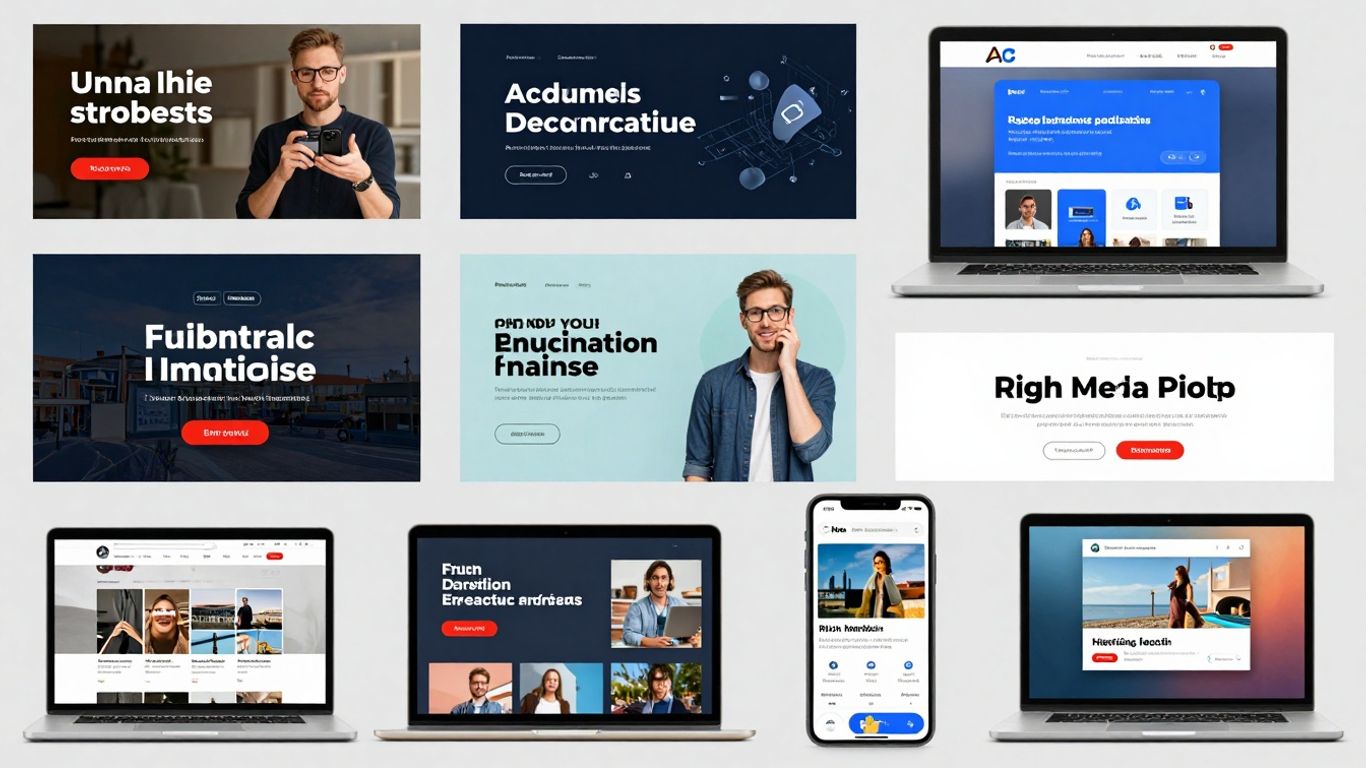
When you're putting together display ads, it's not just about having a cool image or catchy text. You've got to think about how the ad actually looks and works across different places online. This means paying attention to a few important things to make sure your ads are seen and work well.
Banners are probably what most people think of first when they hear "display ads." They're those rectangular ads you see on websites, often at the top, bottom, or sides. They can be static images or animated GIFs. Interstitials, on the other hand, are full-screen ads that pop up between content, like when you're moving from one page to another on a site or app. They can be pretty attention-grabbing, but you don't want to overdo them, or people might get annoyed.
It's a big deal to remember that people look at ads on their phones differently than on their computers. What looks good on a big desktop screen might be too small or cluttered on a phone. You need to make sure your ads are easy to see and interact with on smaller screens. This often means simplifying the design and making sure any text is readable.
The majority of display ad traffic comes from mobile devices. Therefore, ensuring your landing pages provide a smooth mobile experience is not just a good idea, it's a necessity for preventing users from leaving before they even see what you have to offer.
This is where things can get a bit technical, but it's super important. Different websites and ad networks have specific sizes they accept for ads. If your ad isn't the right size, it might not show up at all, or it could look weird and unprofessional. You'll want to have a few versions of your ad ready to go for the most common sizes. It's also smart to check out which ad placements tend to perform best for your target audience and adjust your creative accordingly. Sometimes, a slightly different size can make all the difference in how many people actually notice your ad. You can test different sizes to see what works best for your campaign goals. For example, a common desktop banner size is 300x250 pixels, while a popular mobile interstitial might be 320x480 pixels. It's all about fitting the space without looking out of place.

Programmatic advertising has really changed how we buy and place ads online. Instead of people manually negotiating deals for ad space, computers do most of the heavy lifting. This means ads get bought and sold in real-time, often in fractions of a second, as a webpage or app loads. It's all about using technology to make the process faster and more efficient.
At the heart of programmatic is something called Real-Time Bidding (RTB). Think of it like an auction happening constantly. When someone visits a website, an auction starts for the chance to show them an ad. Advertisers bid on these ad impressions based on who the user is and how likely they are to be interested. This allows marketers to be more precise with their spending, bidding more for valuable audiences and less for those who aren't a good fit.
Here's a quick look at common bidding strategies:
Programmatic advertising really shines when it comes to targeting. It uses vast amounts of data to figure out who to show ads to. This isn't just about basic demographics anymore. We can now target based on a user's online behavior, their interests, what they've looked at before, and even their purchase history. This means your ads are shown to people who are much more likely to care about what you're offering.
The shift to programmatic means ads are no longer just placed randomly. They're delivered with a purpose, aiming to connect with specific individuals at the right moment. This data-informed approach helps cut down on wasted ad spend and makes campaigns much more effective.
This approach allows for incredibly specific targeting, making sure your message reaches the most relevant eyes. It's a big step up from the old days of just buying ad space and hoping for the best.
So, you've put together some slick display ads, picked your placements, and launched your campaigns. That's great! But how do you know if it's actually working? This is where measuring success comes in, and honestly, it's not just about seeing a bunch of clicks. We need to look deeper.
When we talk about display ads, there are a few numbers that really matter. Forget just looking at impressions – that just means your ad was seen, not that anyone cared. We need to focus on metrics that show real impact.
Looking at those numbers is one thing, but understanding why they are what they are is another. Engagement isn't just about clicks; it's about how people interact with your ad and what happens next.
The journey doesn't end with a click. A well-designed display ad can bring someone to your site, but a poorly optimized landing page can lose them instantly. Think about message match – does the landing page look and feel like the ad they just clicked? Is it easy for them to do what you want them to do there? These details make a huge difference.
All this data is useless if you don't use it to make your campaigns better. This is where the real magic happens. It's an ongoing process, not a one-and-done thing.
By consistently monitoring these metrics and making data-driven adjustments, you can significantly improve the effectiveness of your display advertising efforts over time.
So, we've looked at a bunch of different ways to do display advertising. From simple pictures to fancy videos and even ads that pop up when you hover over them, there's a lot out there. It's not just about slapping an ad on a website anymore. You've got ads that look like the site they're on, ads that follow you around after you've visited a page, and ads that show up on social media. The main thing to remember is that while there are tons of options, the goal is still to get your message in front of the right people in a way that makes them want to learn more. It can feel a bit overwhelming with all the choices, but understanding these different types is the first step to making display ads work for your business.
Think of display ads as the pictures and videos you see on websites and apps, kind of like digital billboards. They're not search results; instead, they pop up while you're browsing, watching something, or using an app. Their main job is to grab your attention and maybe get you curious enough to click and visit a company's website.
Yes, absolutely! Some are just simple pictures and text that don't move (static ads). Others can be animated like GIFs or short videos. Then you have interactive ads where you can play a mini-game or answer a quick question. There are also ads that blend in with the website's look, called native ads, and ones that show up specifically to people who have visited a website before, which are called retargeting ads.
Companies use display ads for a few big reasons. They're great for letting people know a brand exists (brand awareness) and for showing off new products. They can also be used to bring back people who have already shown interest in a company's website, hoping they'll decide to buy something this time. Plus, they can be shown to very specific groups of people, making sure the right eyes see the ad.
Programmatic advertising is like having a super-smart robot buy and place ads for you. Instead of a person manually deciding where each ad goes, computers do it automatically and super fast. This means ads can be shown to the exact right people at the exact right time, often through something called 'real-time bidding' where prices are decided in a flash.
Marketers track how well their ads are doing using different numbers. They look at how many people saw the ad (impressions), how many clicked on it (clicks), and how many actually took the action the ad wanted them to, like buying something (conversions). By watching these numbers, they can figure out which ads are doing great and which ones need to be changed.
Sometimes, yes. With so many ads online, people can start to ignore them, which is called 'banner blindness.' Also, some people use ad blockers to hide ads. That's why advertisers try to make their ads interesting, useful, and not too intrusive, and they also use special tricks like retargeting to show ads that are more relevant to you.