


The Modern Marketing Leader’s Toolkit: AI Fluency, Data Literacy, and Business Acumen

Nitin Mahajan
—
October 4, 2026



Running a big remote team is not the same as running a small one.
When you have hundreds or thousands of people spread across different cities and time zones, you need more than a simple time tracker.
That’s why you need a system that keeps payroll accurate, keeps data safe, and gives you a clear picture of how work is actually getting done.
The problem is, most articles about this topic just copy the same feature list from one tool to another. They don't tell you which platform actually works once you scale it up to real enterprise size.
So in this guide, we picked five tools that hold up at that scale, and we looked closely at what each one does well and where it falls short.
This guide compares the top employee monitoring tools for enterprise teams in 2026. Apploye stands out as the strongest overall pick among Hubstaff, Teramind, ActivTrak, and Time Doctor, combining time tracking, screenshots, payroll, invoicing, and already proven at scale with teams as large as 1,500 people. The guide breaks down real pricing, key features, and who each tool is best suited for, so you can choose the right fit for your team and budget.
Before jumping into the list, here's what actually matters once your team gets big:
Managing a remote workforce at enterprise scale comes with challenges a small team never runs into — different time zones, hundreds of employees across departments, and the need for visibility without micromanaging every keystroke. Not every monitoring tool is built to handle that kind of scale.
Below, we'll break down what each of these five tools actually includes once every add-on is counted, so you know exactly what you're working with before you commit.
Apploye is an employee monitoring and time-tracking tool for teams that work remotely, hybrid, or in the office. It brings everything into one place, so you don't need five different apps just to track hours and pay your team.
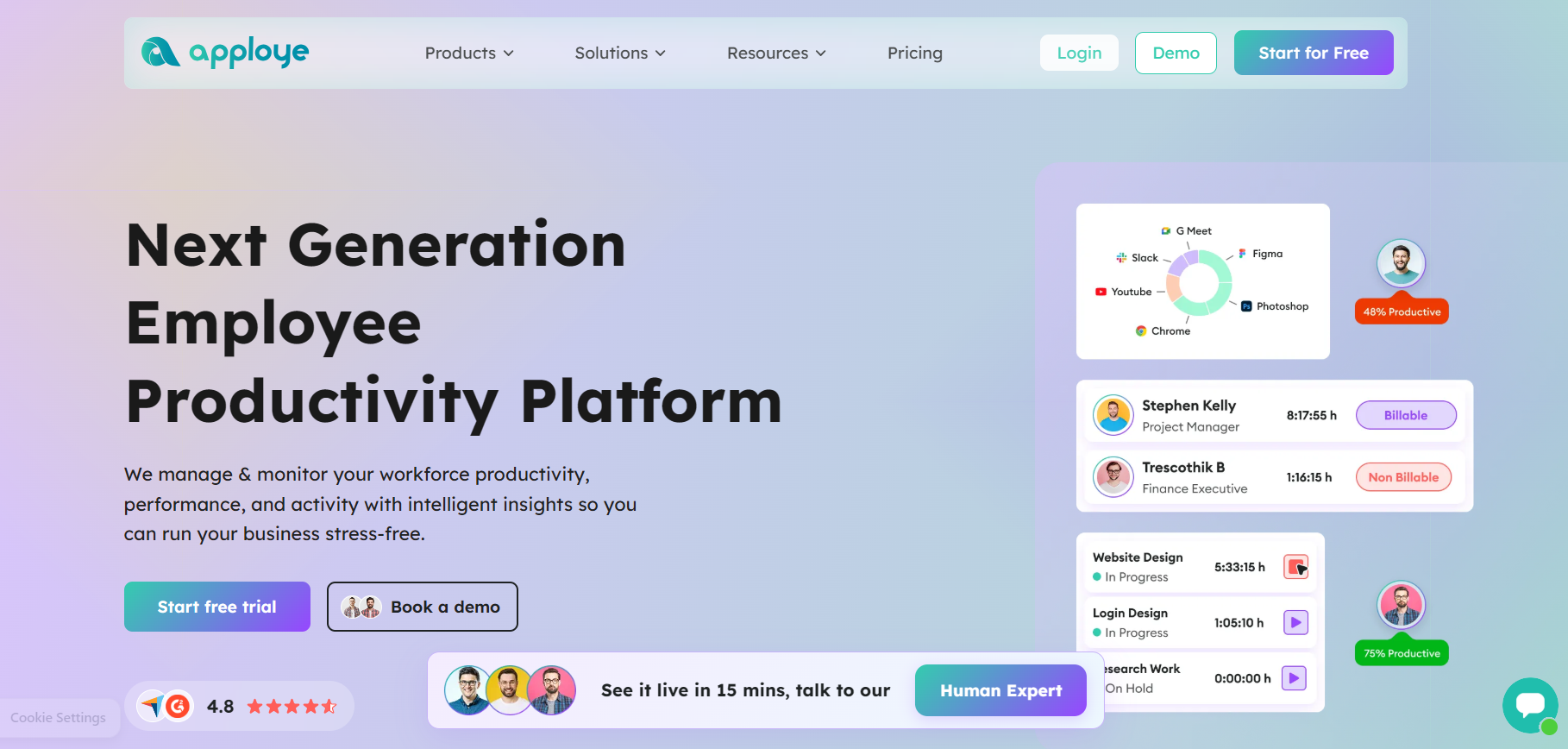
Also, it sorts that time by project and task, so you always know where the hours went. This makes payroll and client billing much easier.
So, if you want more visibility, you can turn on screenshots, app tracking, and website tracking too. You choose what to track and for which team.
In fact, there's also a Live Feed that shows who is working right now, which is handy for managers with remote teams in different time zones.
What makes Apploye stand out is how much you get without paying extra.
Along with time tracking, you also get project budgets, client invoices, payroll, and reports you can download with one click.
Most other tools charge more for these features or make you use a separate app. Apploye just gives it to you.
Besides, it also works well for big teams, not just small ones. Agencies, call centers, and software companies have used Apploye's remote employee monitoring software for teams as large as 1,500 people. So it works whether you have five employees or five hundred.
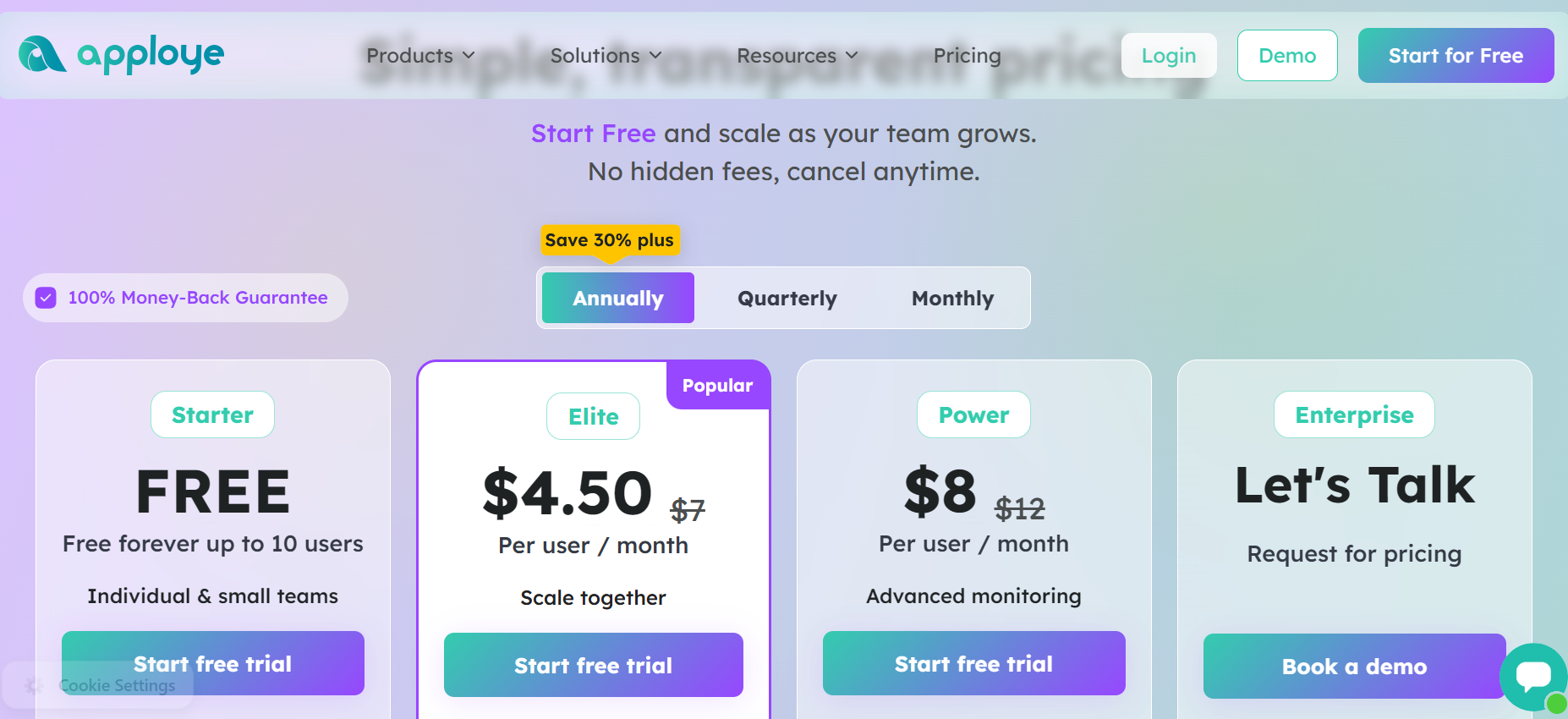
Here, pricing starts free with Apploye's free plan, and paid plans begin at just $4.50 per user per month. That makes it one of the most affordable full-featured options out there.
Apploye's Starter plan is free forever for up to 10 users, no credit card needed. It includes automatic time tracking, attendance and leave tracking with 1 month of history, and basic screenshot monitoring at 1 screenshot per hour. You also get app and URL tracking, though limited to a few per day, activity analytics, timesheets, and support for up to 3 projects and 3 clients.
The free plan is a real advantage for small startups too, aside from enterprises; you're not forced to invest in productivity management software right from the start. Instead, you can put that money toward other essential departments and let your company grow.
You also get a 10-day free trial with no credit card needed, plus a 30-day money-back guarantee. It's easy to try, and even easier to stick with once you see how much time it saves you.
Starter (Free)
Elite
Power
Enterprise
Optional add-ons (available on paid plans)
Other details
Professional services (one-time fees)
Enterprises, agencies, and BPOs that want full monitoring, time tracking, and payroll in one place, especially teams growing past a few hundred seats who don't want their costs to spike as they scale.
Hubstaff is one of the older, better-known names in this space. It's built for businesses that need to track work hours, monitor screen activity, and manage remote or field teams from one place.

The tool combines time tracking with GPS location tracking, screenshots, activity levels, scheduling, and automated payroll. This makes it a solid pick for companies that manage field workers alongside remote staff, since GPS and route tracking are baked right in.
Hubstaff also offers over 30 integrations, so it can fit into a team's existing project management or accounting tools without too much extra work.
Pricing starts around $4.99 per user per month on the Starter plan, moving up to $25 per user per month on the Enterprise plan when billed yearly.
But the tricky part is that several features many teams actually need, like GPS tracking, unlimited screenshots, and workforce analytics, are locked behind higher tiers or sold as separate add-ons.
That means the real price per seat often ends up higher than the number on the pricing page once those extras are added in.
On the downside, teams that don't need GPS or heavy monitoring may find themselves paying for features they'll never use. New users should also expect to spend some time comparing plans carefully, since the add-on structure can make budgeting more complicated than it first appears.
Teramind takes a different approach compared to most tools in this space. It's built for companies where data protection and insider threat detection really matter, like finance and healthcare.

Usually, it watches how data moves across email, cloud apps, USB drives, and clipboards, and can automatically block or flag risky actions before they become a real problem.
It also builds a behavior profile for each user and flags anything unusual, which helps security teams catch issues early.
This kind of depth comes at a higher price, though, with entry-level seats running around $15 per user per month, and a minimum of five seats required to get started.
It's also worth knowing that Teramind can't monitor phones or Linux systems, which matters if your company runs a mixed set of devices.
For enterprises that genuinely need strong data loss prevention, Teramind is one of the stronger options available.
But if your main goal is simple productivity tracking rather than security, this is likely more tool, and more cost, than you actually need.
ActivTrak positions itself as a workforce analytics platform rather than a traditional monitoring tool.
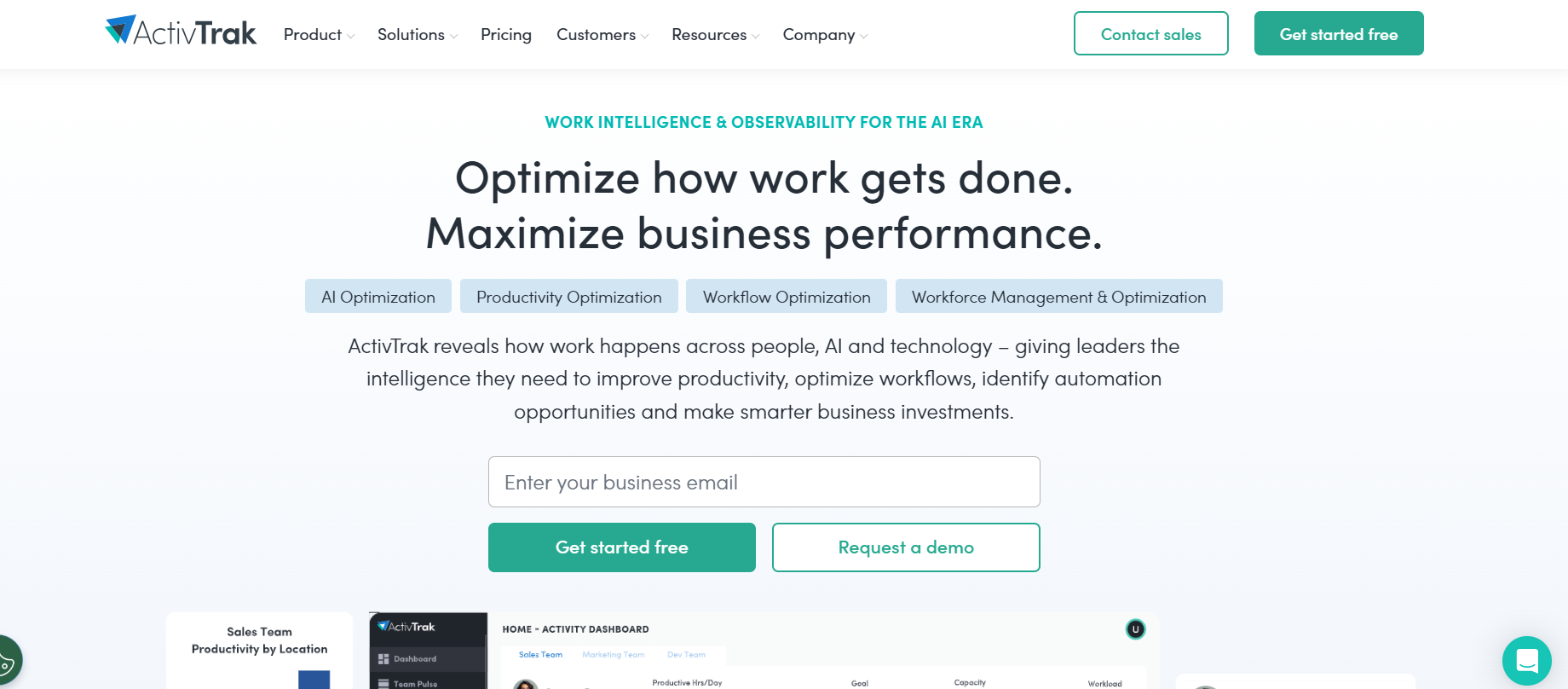
Instead of keystroke logging, it leans into dashboards, coaching tools, and things like burnout risk scores, aiming for a lighter, more analytics-driven approach to tracking productivity.
Pricing starts with a free plan and moves through Essentials at $10, Essentials Plus at $15, and Professional at $19 per user per month, with custom Enterprise pricing above that.
However, it's SOC 2, GDPR, CCPA, and HIPAA compliant, which covers a lot of common compliance needs. That said, it doesn't offer keystroke logging or phone monitoring, and paid plans require a minimum of five users to get started.
Add-ons are also something to watch for, since screenshots and API access cost extra even on the Professional plan, which can push the real price higher than it first appears.
If your business needs deep forensic monitoring or strict data control, ActivTrak likely won't go deep enough, but as a lighter, dashboard-focused option, it holds its own in the category.
Time Doctor is one of the more established names in employee monitoring, and it's widely used by BPOs, agencies, and tech companies that want detailed activity reports.

It tracks app and website use, takes screenshots, and scores activity based on keyboard and mouse input, which gives managers a clear, detailed picture of how time is spent.
Pricing runs across three tiers, at $6.67, $11.67, and $16.70 per user per month on the yearly plan, with custom pricing for Enterprise.
The Basic plan skips payroll and integrations, so most teams end up needing Standard just to get the basics they actually want.
There are also ten optional add-ons for things like AI benchmarking, video recording, and single sign-on, which adds flexibility but also makes budgeting a bit more complicated than a flat price would.
On the plus side, its reporting is detailed and well-suited to BPO-style operations, and it already serves a good number of enterprise customers in tech and banking.
Choosing employee monitoring software for a large team isn't something to rush into.
The wrong pick can mean wasted setup time, unhappy employees, or a bill that keeps climbing as your team grows.
Start by figuring out your actual goal, whether that's tracking billable hours, keeping payroll accurate, or just getting a clearer view of how work gets done.
Apploye handles all three in one place, so you're not stuck picking a tool that only solves one problem. Think about your real headcount too, not just today's number, since enterprises grow and shift teams around often.
Apploye has already been used by organizations with up to 1,500 team members, so it holds up at real scale. Check what's actually included in the price, not just what's advertised, since a lot of tools look cheap until payroll or screenshots cost extra.
Apploye builds these into its core plans instead of selling them separately. Make sure it fits how your team actually works too, whether that's office staff, remote employees, or field workers, since
All in all, Apploye covers all three with one dashboard. Before rolling anything out company-wide, test it with one team first. Apploye's free employee monitoring software plan and 10-day trial make that easy to do without any upfront cost.
In most places, yes, as long as you tell employees and get consent where the law requires it. Rules change by country and state, so it's worth a quick legal check before you roll anything out globally.
Time tracking is just about hours and billing. Employee monitoring adds more, like screenshots, app use, and idle time. Most tools on this list, including Apploye, do both.
Prices here range from about $4.50 per user per month on Apploye to $25 per user per month on Hubstaff's top plan, and more for security-heavy tools like Teramind. Always work out your total cost including add-ons, not just the starting price.
It depends on the tool and how you set it up. Apploye and ActivTrak both offer dashboards employees can see. Tools built more for security, like Teramind, are often set up to be less visible.
Yes, all five tools here support remote teams across regions, but data storage and compliance rules can differ, so check with the vendor directly if you operate under GDPR or similar laws.
There's no single best tool here; it really depends on what your company needs most.
If you want strong monitoring, time tracking, and payroll without paying for a full security suite, Apploye gives you the most for your money, especially once you're past a few hundred seats.
If GPS tracking for field teams is a must, Hubstaff is worth the extra cost. If data protection and insider risk are your top concern, go with Teramind. And if you want a friendlier, analytics-first approach, ActivTrak fits that well.
Whatever you pick, test it with one team first, and price it out using your actual headcount, not the number on the homepage.